


In lesson, we learned about being able to interact with Static Meshes by changing its material and creating collision boxes over objects. For example, we used an office desk as the static mesh and applied collision boxes around each of its legs and the top of the desk.
Collision Boxes


To create the collision boxes which are placed over each part of an object, I clicked the “Add Box Simplified Collision” option. This creates an invisible box with a green outline which can be manipulated to change its size.
Afterwards, the collisions for the player can be checked by changing the editor mode to “Player Collision”. By default, the mode is “Lit”:


Reducing Triangles and Vertices

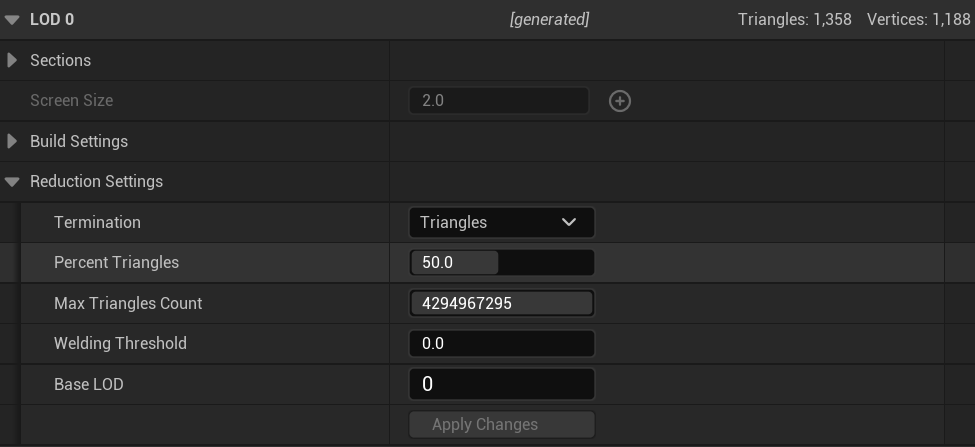
Sometimes, meshes can take up a lot of memory because of the amount of triangles and vertices it has. The “Percent Triangles” can be reduced to lower the amount of triangles and vertices of an object without making any major changes to its appearance if it has textures applied to it. The desk, for example, has 2,716 triangles and 2,021 vertices if the “Percent Triangles” is set to 100. If it is set to 50, it can be reduced to 1,358 triangles and 1,188 vertices.
 Jamie Norris